Download PDF Alan Simpson’s Windows Vista™ Bible by Alan Simpson and Todd Meister


Sinopsis

Welcome to Vista! This chapter is for people who have experience with Windows XP or other versions of Windows and just want to know what’s new. If you’re new to PCs, this chapter won’t help much because everything will be new to you. So feel free to skip this chapter and head over to Chapter 2 if you’re not a long-time Windows user.

For the folks who do stick around here, the first thing you need to understand is that Windows Vista is more than just a new “version” of Windows. It’s not just Windows XP with eye candy. It’s a whole new operating system, inside and out. But that doesn’t mean you have to throw away all your existing hard-earned knowledge. In fact, you don’t have to throw away any of that, because the old familiar ways of doing things still apply. You just have to be ready to expand your horizons to bigger and better things.

If you’re like most people (myself included), your first inclination might be to get out of Vista as quickly as possible and return to a more familiar environment, like Windows XP. But if you do that, you’ll be missing out on many new features and improvements. If you invest a little time in learning what’s new and different, you’ll find that you really can get things done more quickly and easily in Vista. This chapter provides a quick overview of what’s new, so you can decide for yourself which features are most relevant to how you use your computer


Content

  1. Getting Started, Getting Secure
  2. Batten Down the Security Hatches
  3. Personalizing Windows Vista
  4. Power Using the Internet
  5. Pictures, Music, and Movies
  6. Managing Files and Folders
  7. Printing, Faxing, and Scanning
  8. Installing and Removing Programs
  9. Hardware and Performance Tuning
  10. Networking and Sharing


Donwload PDF Windows Server™ 2003 Bible R2 and SP1 Edition by Jeffrey R. Shapiro and Jim Boyce


Sinopsis

Windows Server 2003, R2, is an intermediate release between Windows Server 2003 and the next major version of the flagship operating system from Microsoft, due in the latter part of this decade. This release builds on the solid foundation of an already released and widely used operating system to provide critical security, authentication, and networking enhancements. It also provides features that make the extension of the enterprise network to branch offices and remote locations far easier and more secure. R2 takes you closer to the goal of a server and network consolidation, no matter how diverse or remote the various parts of your network.
 
If you are still supporting Windows 2000 (or, Heaven forbid, Windows NT), Windows Server 2003 offers many new and improved features that present you with both exciting and daunting challenges. This book is the culmination of thousands of hours spent testing, evaluating, and experimenting with just about everything that Windows Server 2003 can throw at you.
 
Gone are the days when the Windows server operating systems could be covered in a single book or a week’s crash course at a training center. If we told you that this is the only book that you need about Windows Server 2003, we would be lying. Many of the features that we cove warrant advanced treatment under separate cover. We have attempted to build as complete a hands-on reference as possible, while still providing a broad scope of coverage of the most important aspects and implications of the Windows Server 2003 platform for all editions.
 
There is no excuse to be still using Windows 2000 (which was released to manufacturing in the sunset of 1999) or Windows NT (which was released before the dawn of the Internet as we know it today)—those giddy years for technology in the mid-1990s. Windows Server 2003 presents some compelling reasons to convert sooner rather than later. Windows 2003 offers expanded hardware support and support for plug-and-play. Windows Server 2003 incorporates numerous new technologies and improves on several existing ones, particularly for Windows Server 2003 Enterprise Edition, the focus of this book.
 
One of the most pervasive changes in Windows 2000 was the Active Directory, and Windows Server 2003 expands on and improves implementation of the Active Directory. In R2, Active Directory comes with the so-called Active Directory Federation Services (ADFS), built-in technology that makes it easier than ever, and with much more reliability, to extend AD to remote locations and branch offices.
 
AD affects most aspects of Windows Server 2003, including the areas of security and user and group administration, network and domain topology, replication, DHCP and DNS, and more. Other important changes include changes to the Distributed File System (DFS), which enables you to build a homogenous file-system structure from shares located on various servers across the network. The concept of presenting shared folders to users as a grouping called a namespace has been further extended and enhanced. In R2, the enhanced DFS Namespaces (DFS-N) provides for easier management of file system roots within a DFS network infrastructure. DFS-N gives you far greater flexibility in deploying DFS; you now have a much more sophisticated tool to create multiple DFS roots and manage them.
 
In a similar fashion, volume mountpoints, a feature of NTFS 5.0 (introduced in Windows 2000), enable you to mount a volume into an empty NTFS folder, making the volume appear as part of the structure of the volume in which the NTFS folder resides. Mounted volumes do much the same for a local file structure that DFS provides for a network file structure. Changes in DNS and DHCP enable DHCP clients to dynamically request updates of their host records hosted by Windows Server 2003 DNS servers, enabling you to maintain up-to-date host records for all systems in the enterprise, even when they are assigned an IP address dynamically, or their host or domain names change.
 
If you have been creating and managing Windows 2000 networks, you should find many features in Windows Server 2003 welcome improvements. A good example is Group Policy. You know from Windows 2000 that you cannot implement a Windows 2000 network without Group Policy, but Group Policy is difficult to master without supporting tools. Windows Server 2003 greatly improves Group Policy technology with increased functionality, such as resultant set of policy (RSoP) and the capability to more easily report on Group Policy application. These changes are just a few of the many new features and modifications offered by the Windows Server 2003 operating platform


Content

  1.  Windows Server 2003 Architecture
  2. Introducing Windows Server 2003
  3. Windows Server 2003 and Active Directory
  4. Windows Server 2003 Security
  5. .NET Framework Services
  6. Planning, Installation, and Configuration
  7. Planning for Windows Server 2003
  8. Installing Windows Server 2003
  9.  Configuring Windows Server 2003
  10. Active Directory Services
  11. Planning for Active Directory
  12. Organizing a Logical Domain Structure
  13. Active Directory Physical Architecture
  14. Active Directory Installation and Deployment
  15. Active Directory Management
  16. Managing Users and Groups
  17. Change Control, Group Policy, and Workspace Management
  18. Networking and Communication Services
  19. Windows Server 2003 Networking
  20. DHCP
  21. DNS and WINS
  22. Routing and Remote Access
  23. Availability Management
  24. Storage Management
  25. Backup and Restore
  26. Disaster Recovery
  27. The Registry
  28. Auditing Windows Server 2003
  29. Service Level
  30. Windows Server 2003 High Availability Services
  31. File, Print, Web, and Application Services
  32. Windows Server 2003 File Systems
  33. Sharing and Securing Files and Folders
  34. Print Services
  35. Web, FTP, and Intranet Service
  36. Terminal Services


Download PDF Alan Simpson’s Windows® XP Bible Second Edition by Alan Simpson


Sinopsis


If you’ve been using Windows XP for a long time now, then getting situated is largely a matter of finding out what’s new in Service Pack 2 (SP2). And Chapter 1 is the place for you. Chapter 1 quickly describes all the new stuff in SP2 and tells you where to look in the rest of the book to get up to speed on a new feature or program. If you’ve just recently made the transition from Windows 98, ME, 2000, or some other earlier Windows version, Chapter 1 won’t give you the big picture on everything that’s new in Windows XP, but Chapters 2 through 4 will.
 
Chapter 5 will help experienced and new Windows XP users alike troubleshoot some common desktop and interface problems. By the way, if you haven’t quite gotten around to installing Windows XP, Appendix A will help you upgrade your existing Windows version to XP. Or, if you want to start off fresh, see Appendix B for doing a clean install of Windows XP.


Content

  1. Getting Started
  2. What’s New in Windows XP SP2?
  3. Getting Around in Windows XP
  4. Files, Folders, Documents, and Icons
  5. Help and Support for Power Users
  6. Troubleshooting Interface Problems
  7. Customizing Windows XP
  8. Setting Up Your Work Environment
  9. Sharing a Computer with User Accounts
  10. Customizing Startup Options
  11. Using Speech, Language, and Accessibility Features
  12. Setting Up Multiple Monitors
  13. Troubleshooting Customization Problems
  14. Managing Files and Folders
  15. Industrial-Strength File Management
  16. Creating and Managing Folders
  17. Managing Disks, Folders, and Files
  18. Using CDs and DVDs
  19. Creating Shortcuts to Favorite Places
  20. Searching for Files and Folders
  21. Realistic Backup Strategies
  22. Troubleshooting File and Folder Problems
  23. Printing and Faxing
  24. Installing and Managing Printers
  25. Printing Documents and Screenshots
  26. Managing Print Jobs
  27. Sending and Receiving Faxes
  28. Troubleshooting Printing and Faxing
  29. Securing Your System
  30. Getting Online
  31. Blocking Hackers with Windows Firewall
  32. Keeping Current with Security Patches
  33. Blocking Viruses and Worms
  34. Conquering Pop-Up Ads
  35. Dealing with Adware and Spyware
  36. Troubleshooting Security
  37. Power Using the Internet
  38. Browsing the Web with Internet Explorer
  39. Doing E-Mail with Outlook Express
  40. Communicating Online with .NET Passport
  41. Using FTP and Newsgroups
  42. Troubleshooting Internet Problems
  43. Using and Creating Digital Media
  44. Playing with Pictures
  45. Making Music with Windows Media Player 10
  46. Watching DVD, Video, and More
  47. Getting Started with Windows Movie Maker 2
  48. Power Users Guide to Movie Maker 2
  49. Using VHS, LPs, DVD, and More
  50. Troubleshooting Multimedia
  51. Installing and Removing Programs
  52. Downloading Programs
  53. Installing and Upgrading Programs
  54. Getting Older Programs to Run
  55. Setting Program Access and Defaults
  56. Installing, Using, and Troubleshooting Hardware
  57. Performance and Maintenance Issues
  58. Home and Small-Business Networking


Download PDF Hacking Windows® XP by Steve Sinchak


Sinopsis


Windows XP is a great operating system. It is faster and more secure than any other version of Windows. However, for some, it is not fast and secure enough. By picking up this book, you have started a three-part journey that will guide you through all of the steps of customizing, optimizing for performance, and securing Windows XP. I am not talking about minor little tweaks; this book is going to show you how to conduct major surgery on your Windows XP box.
 
Visually,Windows XP is superior to all other Windows versions. No other version of Windows has ever looked this good. So how could you make it look better? Customize it! Impress your friends and refresh your dull desktop with a cool new look. I am going to show you how to completely change the way Windows XP looks during all stages of its operation.
 
Performance-wise,Windows XP has made great advances. However, for some computer users of older hardware, running Windows XP can be like trying to pull a 100-foot yacht behind a tiny import car. Although Windows XP will not bust your CPU quite so much as a yacht would, it can slow down the operation of your computer because there are so many new features.
 
To help you out, I am going to show you how to get the new features under control; I’ll also tell you about some tricks that I have found to speed up the operation of Windows XP. If you already have the V12 4 x 4 of computers, and you have no problem pulling the 100-foot yacht, then you will still benefit from the performance tips.
 
Windows XP is a lot more secure than prior Windows operating systems. However, as we all know from recent history, it has not been doing very well. This book is going to show you how to use some of the new features of Windows XP Service Pack 2, as well as many other cool security tips, to make Windows XP much securer. Congratulations on starting your journey.
Your computer will be in better shape than ever in no time!


Content

  1.  Customizing Your System
  2. Customizing the Look of the Startup
  3. Customizing User Navigation
  4. Hacking the Desktop
  5. Customizing the Appearance of the Windows Interface
  6. Hacking Windows Explorer
  7. Exploring Other Windows Enhancements
  8. Increasing Your System’s Performance
  9. Analyzing Your System
  10. Speeding Up the System Boot
  11. Making Your Computer Load Faster
  12. Making Your Computer More Responsive
  13. Speeding Up Your Computer
  14. Securing Your System
  15. Protecting Your Computer from Intruders
  16. Fighting Spam, Spyware, and Viruses
  17. Protecting Your Privacy


Download PDF Tricks of the Windows Game Programming Gurus fundamentals of 2D and 3D Game Programming by André Lamothe


Sinopsis

A long time ago, in a galaxy far, far, away, I wrote a book about game programming called Tricks of the Game Programming Gurus. For me, it was an opportunity to create something that I had always wanted—a book that taught the reader how to make games. Anyway, it’s been a few years and I’m a little older and wiser, and I have definitely learned a lot of tricks <BG>. This book is going to continue where the old book left off. I’m going to cover every major topic in game programming that I can fit within the binding of this bad boy!
 
However, as usual, I’m not going to assume that you are already a master programmer or that you even know how to make games. This book is for beginners as well as advanced game programmers. Nonetheless, the tempo is going to be fierce, so don’t blink!
 
Today is probably the coolest time in history to be in the game business. I mean, we now have the technology to create games that do look real! Imagine what will come next? But all this technology isn’t easy to understand or trivial—it takes hard work. These days the bar has definitely been raised on the skill set needed to make games. But if you’re reading this, you are probably one of those people who like a challenge, right? Well, you came to right place, because when you’re done with this book you will be able to create a full 3D, texture-mapped, professionally lit video game for the PC. Moreover, you will understand the underlying principles of artificial intelligence, physics modeling, game algorithms, 2D/3D graphics, and be able to use 3D hardware today and in the future.


Content


  1. Windows Programming Foundations
  2. Journey into the Abyss
  3. The Windows Programming Model
  4. Advanced Windows Programming
  5. Windows GDI, Controls, and Last-Minute Gift Ideas
  6. DirectX and 2D Fundamentals
  7. DirectX Fundamentals and the Dreaded COM
  8. First Contact: DirectDraw
  9. Advanced DirectDraw and Bitmapped Graphics
  10. Vector Rasterization and 2D Transformations
  11. Uplinking with DirectInput and Force Feedback
  12. Sounding Off with DirectSound and DirectMusic
  13. Hardcore Game Programming
  14. Algorithms, Data Structures, Memory Management, and Multithreading
  15. Making Silicon Think with Artificial Intelligence
  16. Playing God: Basic Physics Modeling
  17. Putting It All Together: You Got Game!

Download PDF Windows® 8.1 Apps with XAML and C# Unleashed by Adam Nathan


Sinopsis

If you ask me, it has never been a better time to be a software developer. Not only are programmers in high demand—due in part to an astonishingly low number of computer science graduates each year—but app stores make it easier than ever to broadly distribute your own software and even make money from it.

When I was in junior high school, I released a few shareware games and asked for $5 donations. I earned $15 total. One of the three donations was from my grandmother, who didn’t even own a computer! These days, of course, adults and kids alike can make money on simple apps and games without relying on kind and generous individuals going to the trouble of mailing a check.

The Windows Store is an app store like no other, and it keeps getting better. When you consider the number of people who use Windows 8.1 (and Windows RT) compared to the number of people who use any other operating system on the planet, you realize what a unique and enormous opportunity the Windows Store provides. That’s one of the reasons that the Windows Store is the fastest-growing app store in history.

Content

1 Hello, Real World!
2 Mastering XAML
3 Sizing, Positioning, and Transforming Elements
4 Layout
5 Interactivity
6 Handling Input: Touch, Mouse, Pen, and Keyboard
7 App Lifecycle
8 Threading, Windows, and Pages
9 The Many Ways to Earn Money
10 Content Controls
11 Items Controls
12 Text
13 Images
14 Audio, Video, and Speech
15 Other Controls
16 Vector Graphics
17 Animation
18 Styles, Templates, and Visual States
19 Data Binding
20 Working with Data
21 Supporting Charms
22 Leveraging Contracts
23 Reading from Sensors
24 Controlling Devices
25 Thinking Outside the App: Live Tiles, Notifications, and the Lock Screen
26 Integrating DirectX
27 Custom Controls and Components
28 Layout with Custom Panels


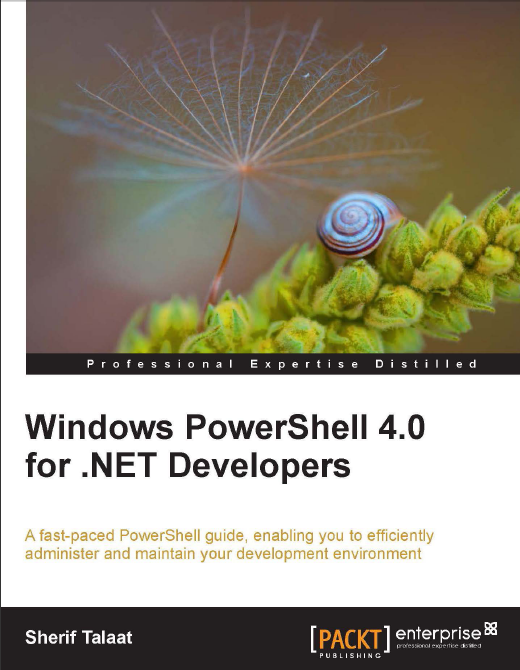
Download PDF Windows PowerShell 4.0 for .NET Developers by Sherif Talaat


Sinopsis

Windows PowerShell has been proven to be a strong automation tool that has various usages for IT professionals as well as developers. This object-based scripting language became part of many Microsoft servers and development tools. The enhanced .NET integration along with the new web cmdlets in Windows PowerShell 4.0 made it a developer-friendly tool.

Windows PowerShell 4.0 for .NET Developers comes with a set of easy-to-follow practical examples and real-world scenarios that will help you in getting started with PowerShell, understanding the syntax and grammar, building your scripts and modules, and integrating them with different technologies and tools.

This guide starts with the essential topics of PowerShell along with new features in PowerShell 4.0, then goes through building scripts and modules, and then goes deep into integration topics. Next, it covers PowerShell integration with .NET, WMI,
and COM.

Moreover, we will use PowerShell to manage Windows Server, Internet Information Services, SQL Server, and Team Foundation Server. Finally, we will be working with XML and RESTful web services.

Content

  1. Getting Started with Windows PowerShell
  2. Unleashing Your Development Skills with PowerShell
  3. PowerShell for Your Daily Administration Tasks
  4. PowerShell and Web Technologies
  5. PowerShell and Team Foundation Server


Download PDF Microsoft® Official Academic Course : Mobile Development Fundamentals, Exam 98-373


Sinopsis

A mobile app is a software program designed to run on a mobile device, like a Windows Phone. To create apps for Windows Phone, you use one of two development platforms: Microsoft Silverlight for Windows Phone or the XNA framework. The mobile device scene has exploded in the last few years, with thousands of applications (apps) available to run on a variety of mobile devices like smartphones. A mobile app is simply a small software program designed to run on a mobile device, and many mobile apps are actually Web-based programs that help you connect to the Internet and interact with a Web site. Apps generally come with crisp, clean user interfaces (UIs) that are fun, easy to use, and functional. Anyone who has purchased a smartphone knows there are many choices, from Windows Phones to iPhones to Android devices and more. This book is an introduction to Windows Phones and will help you prepare for the Microsoft Technology Associate (MTA) 98-373 certification exam.

Content
  1. Understanding Mobile Devices, Interactions, and Tools Windows Phone
  2. Working in a Mobile App Development Environment
  3. Exploring Networked Data and Data Stores
  4. Exploring Mobile Device Networking
  5. Understanding Silverlight and Mobile Code
  6. Understanding Mobile App Development Concepts and Working with APIs
  7. Using Mobile Device Controls and Creating User Interfaces Testing, Debugging, and Deploying a Mobile App


Download Learning Metasploit Exploitation and Development By Aditya Balapure